Welcome to  -
Marg Books
-
Marg Books
Home > Marg Books > Management Report > How to view Gross Profit Report in Marg Books ?
How to view Gross Profit Report in Marg Books ?

- Firstly click on 'Report' tab.
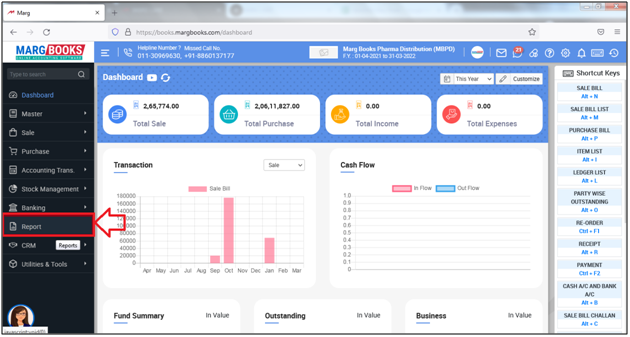
- A 'Combined Report' window will appear.
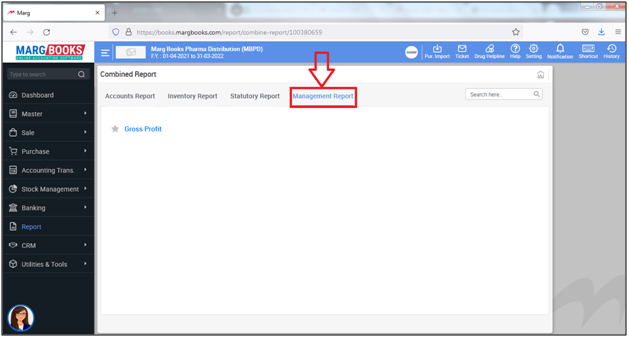
- The user will click on 'Management Report'.
- The user will click on 'Gross Profit'.
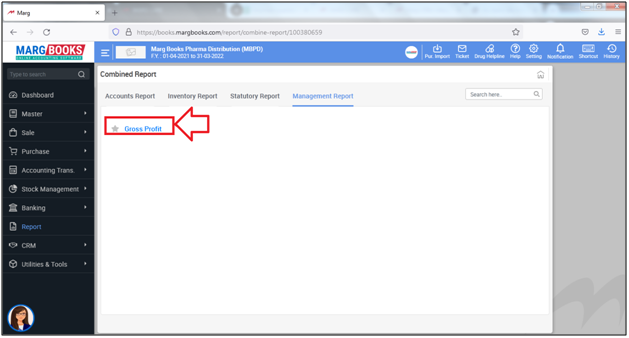
A 'Gross Profit/Loss' window will appear.
a. Select Date Range: The user can select the basis for date as per the requirement.
Suppose select '31-3-2022 to 31-3-2022'.
b. Calculation: The user can select whether to view Gross Profit or Gross Loss.
Suppose select 'Gross Profit'.
c. Report Type: The user can select the report type whether to be generate report in Summary/Detail as per the requirement.
Suppose select 'Detail'.
d. Party: The user can select the party whose report needs to be generated by placing check mark against it and click on 'Ok'.
e. Company : The user can select the company whose report needs to be generated by placing check mark against it and click on 'Ok'.
f. Item: The user can select the items whose report needs to be generated by placing check mark against it and click on 'Ok'.
g. Area: The user can select the Area whose report needs to be generated by placing check mark against it and click on 'Ok'.
h. Route: The user can select the Route whose report needs to be generated by placing check mark against it and click on 'Ok'.
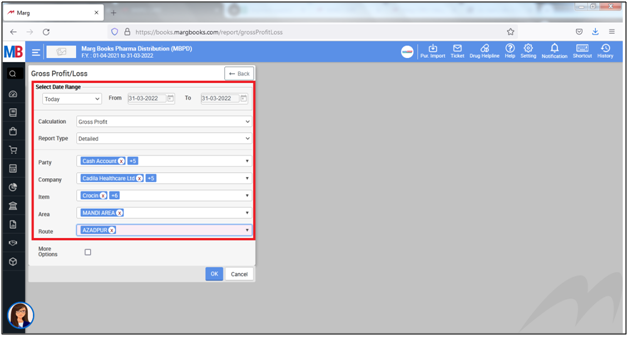
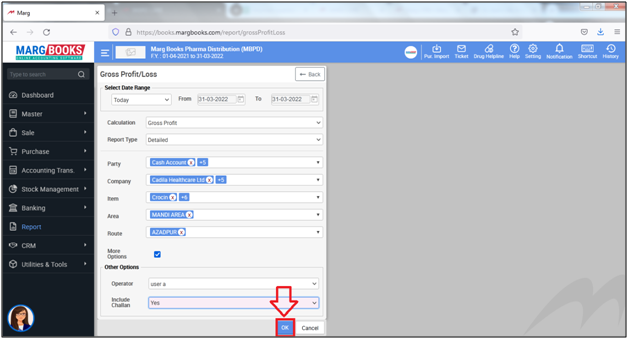
i. More Options: The user will place the check mark against it and select the filters as per the requirement.
1. Operator: The user can select the operator as per the requirement to filter the report on the basis of the operator.
Suppose select 'User A'.
2. Include Challan: The user can select 'Yes' to include Challan in report otherwise select 'No' to not include challan in Report.
Suppose select 'Yes'.
Click on 'Ok'.
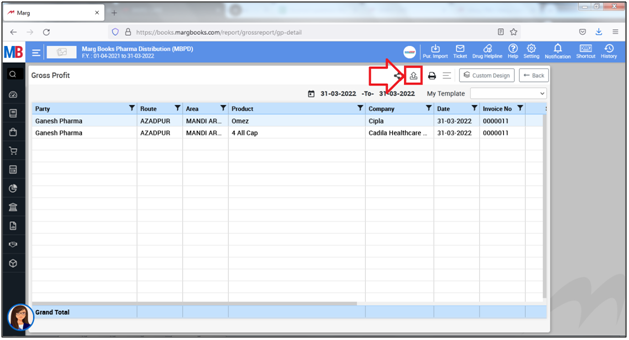
- A 'Gross Profit' window will appear.
- The user will click on 'Export' icon to export the report in the selected format.
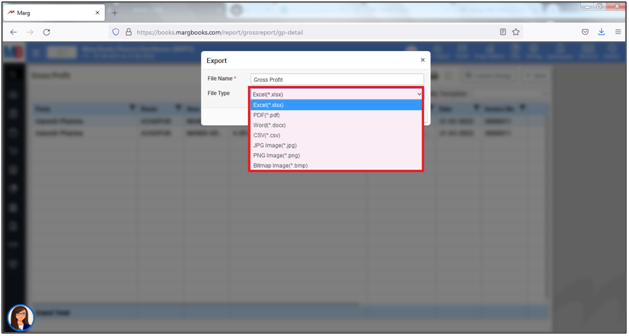
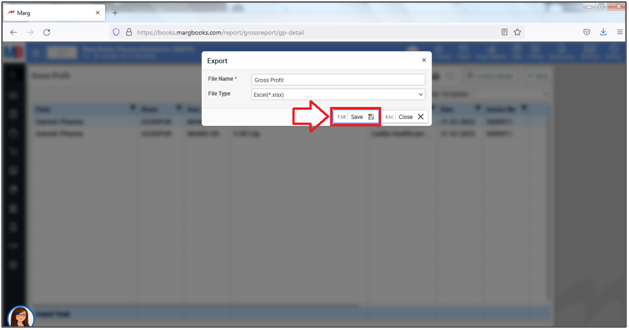
- An 'Export' window will appear.
- In 'File Name', the user will mention the name of the report.
- In 'File Type', the user will select the format in which the report needs to be exported.
- Suppose select 'Excel'.
- The user will click on 'Save'.
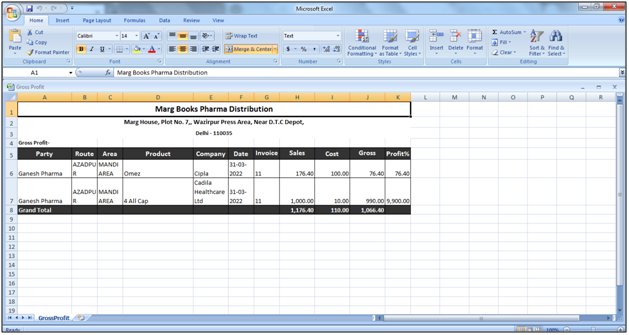
After following the above steps, the user can view that the Gross Profit report will get exported in the excel format.