

Welcome to  -
eBusiness App
-
eBusiness App
Home > Ebusiness App > E Business > How to Download and Install eRetail / eOrder and eOwner Apps ?
How to Download and Install eRetail / eOrder and eOwner Apps ?

Introduction of Marg E-Business App
Introduction of Marg E-Business App
Marg eBusiness app integrated with Marg ERP Software eases the supply chain and order management system for the retailers, distributors and manufacturers to manage their business operations.
- eRetail App - eRetail Mobile App automates the complete ordering process and helps to increase the Retailer ordering efficiency.
- eOwner App - eOwner Owners app to manage business is a perfect Management app for Retailers, Distributors & C&F's. eOwner enables companies to keep eye on Sales, Collection & gps tracking of field staff.
- eOrder App - Marg eOrder Salesman Order App makes Ordering, Tracking & Collection easy for field staff and increases the efficiency of every salesman by 30%.
Process to Download and Install Marg E-Business App
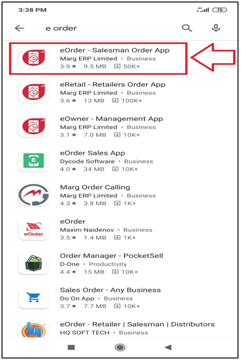
- Firstly, the user will download eOrder, eOwner & eRetail app from the Play Store.
- Suppose Download 'eOrder App'.
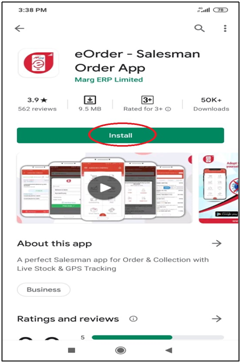
- Click on 'Install' button.
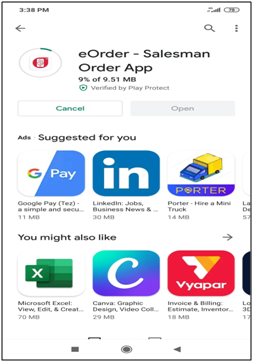
- Now, the user can view the eOrder app is downloading.
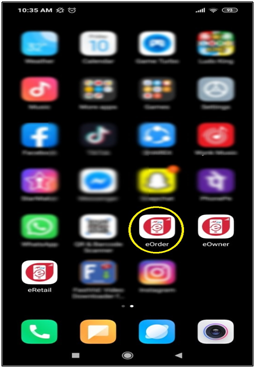
- After downloading the eOrder app, the user will open it.
- The user will enter the details, i.e., Company ID, User ID & Password according to the requirement and click on Login.
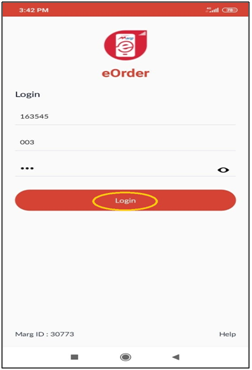
After following the above steps, the user can download and install Marg apps.








