

Welcome to  -
Marg ERP 9+
-
Marg ERP 9+
Home > Margerp > Annx 1 > How to generate GST ANNX-1 in Marg ERP Software ?
How to generate GST ANNX-1 in Marg ERP Software ?

Overview of Gst Annx-1 in Marg ERP Software
Process to Generate Gst Annx-1 In Marg ERP Software
Overview of Gst Annx-1 in Marg ERP Software
- Form GST ANX-1 is an annexure to the main return GST RET-1 introduced under the new filing system of simplified returns under GST. This annexure will contain details of all outward supplies, inward supplies liable to reverse charge, and import of goods and services.
- Details in this annexure will have to be reported invoice-wise (except for B2C supplies) based on a continuous uploading facility to be made available on the GST portal. The reporting can be done on a real-time basis, and will be available for the recipient of supplies to take necessary action in their FORM GST ANX-2.
Process to Generate Gst Annx-1 In Marg ERP Software
- Go to GST > Misc. GST Reports.

- The user will click on 'New ANNX-1 (Beta Version)'.

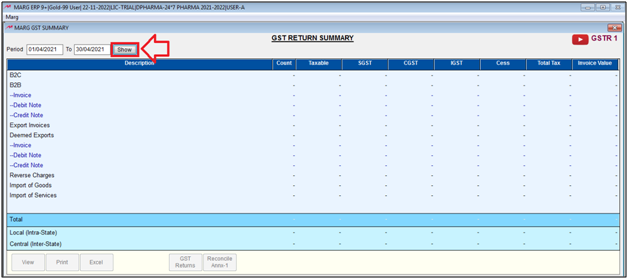
- The user will feed the date range and click on 'Show'.
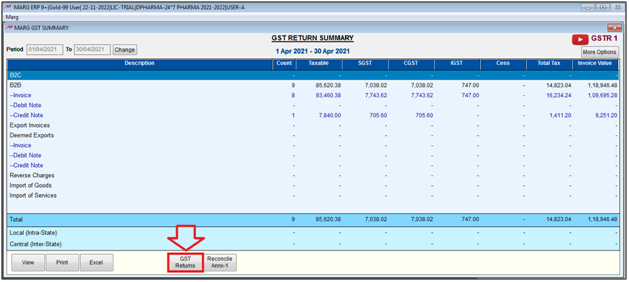
- Now, the user will click on 'GST Returns'.
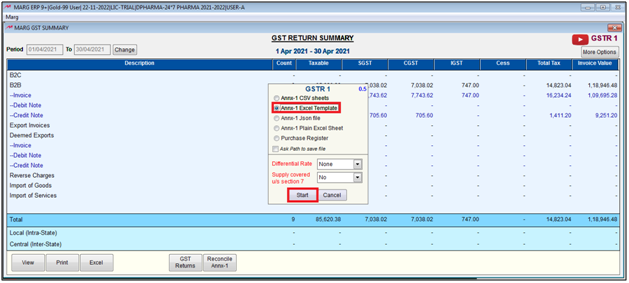
- The user will select 'ANNX-1 CSV Sheet/ANNX-1 Excel Template', etc., as per the requirement.
- Then click on 'Start'.
- Suppose select 'ANNX-1 Excel Template'.
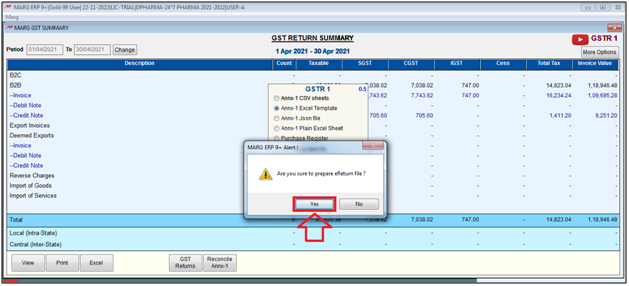
- The user will click on 'Yes'.
- Click on 'Ok'.
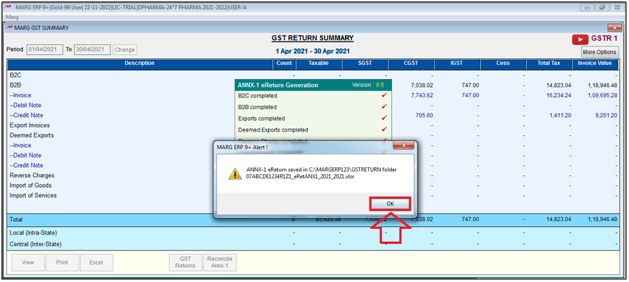
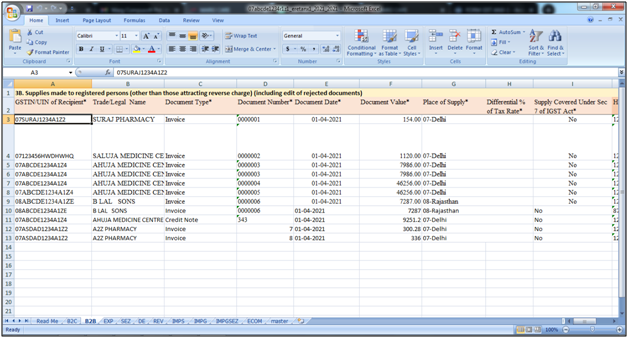
After following the above steps, the user can view GST ANNX-1 report will be generated in Excel format in Marg ERP Software.

In This Page









