

Welcome to  -
Marg ERP AI+
-
Marg ERP AI+
Home > Margerp > General Queries > How to disable Run As Administrator Permanently which appears while running Marg Software ?
How to disable Run As Administrator Permanently which appears while running Marg Software ?

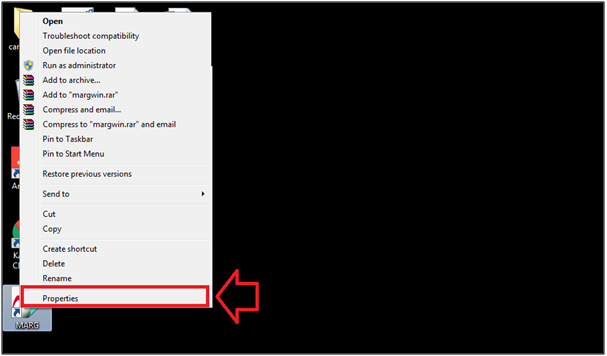
- Right click on Marg Icon > Properties.
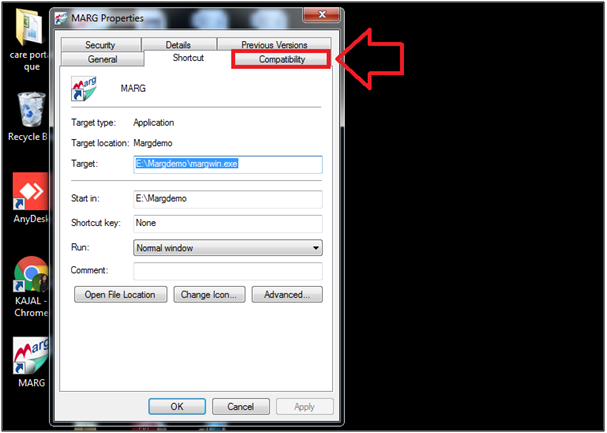
- The user will click on 'Compatibility'.
- In 'Run this Program as an Administrator' option, the user will untick the option.
- Click on 'Apply'.
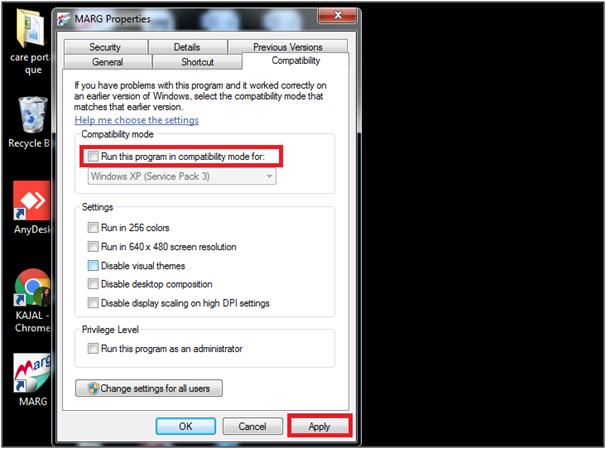
- Now, the user will select 'Ok'.

After following the above steps, the user can view the Run as Administrator window will get disabled at the time of Opening Marg Software.

In This Page









