

Welcome to  -
Marg ERP AI+
-
Marg ERP AI+
Home > Margerp > Gui Format > How to disable Item Batch Merging in Bill Format in Marg Software ?
How to disable Item Batch Merging in Bill Format in Marg Software ?

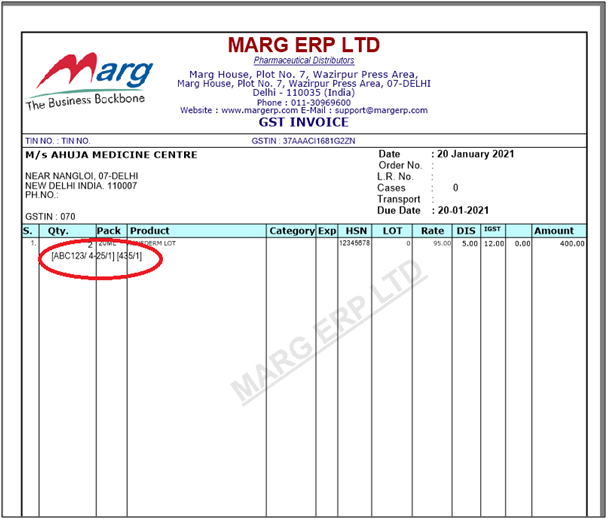
In MArg ERP Software, if the user wants to remove the batch detail from the bill printing then this issue can be resolved.
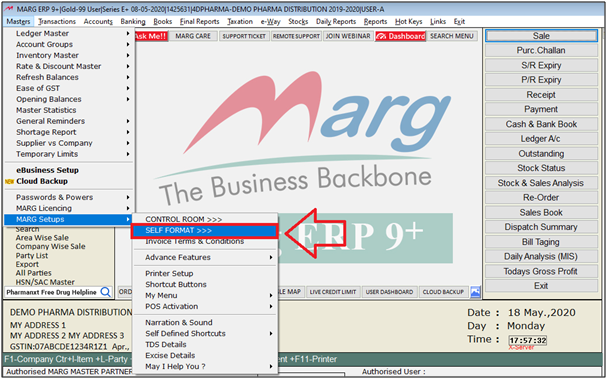
- Firstly, Go to Masters > Marg Setups > Self Format. Press Enter.
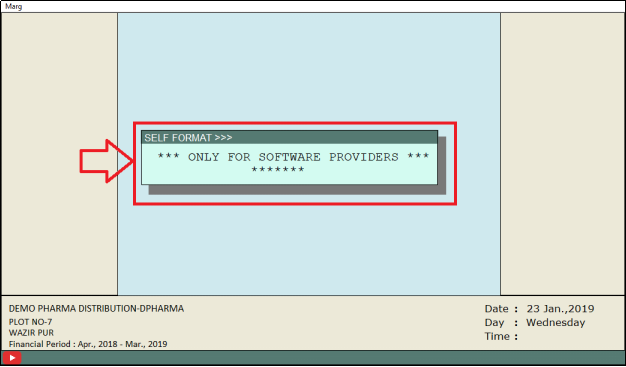
- A Self Format dialog box will appear. Enter the Password.
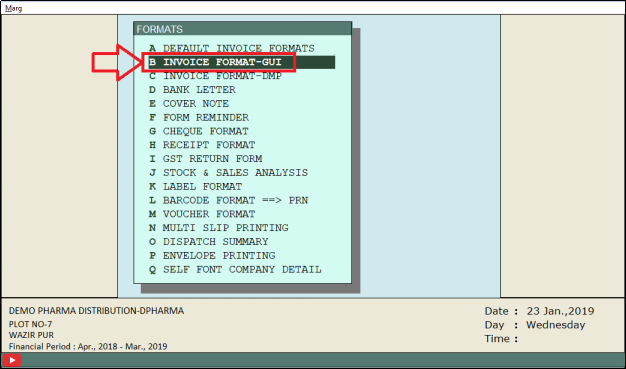
- Now, a Formats window will appear.
- The user will select Invoice Format- GUI. Press Enter.
- An Invoice Format- GUI window will appear.
- In ‘Format’, enter the name of the format.
- Suppose, Enter “AC”. Press Enter.
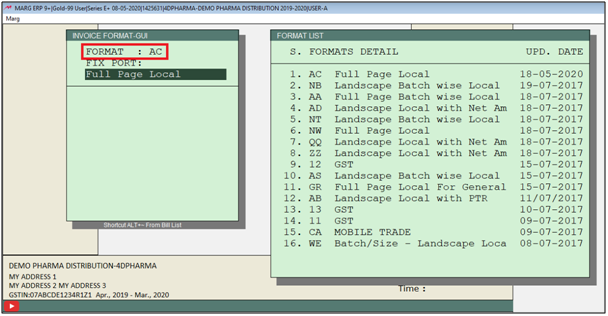
- The user will now select ‘Page Settings’. Press Enter.
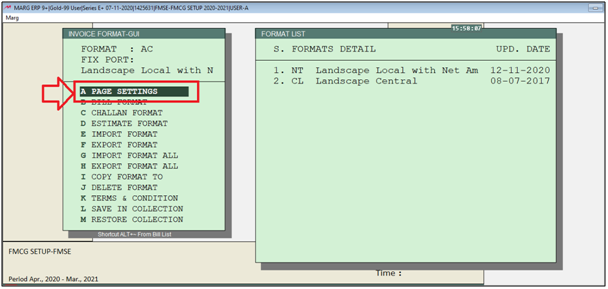
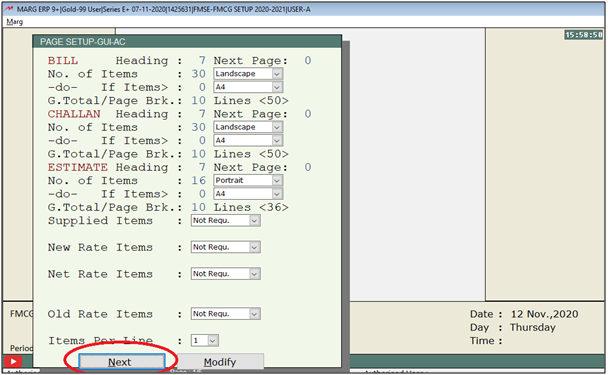
- A Page setup window will appear.
- Click on 'Next' button.
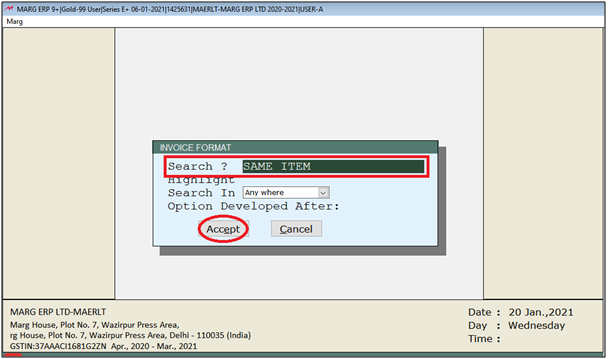
- An Invoice format window will appear. Search "Same Item".
- Now click on 'Accept'.
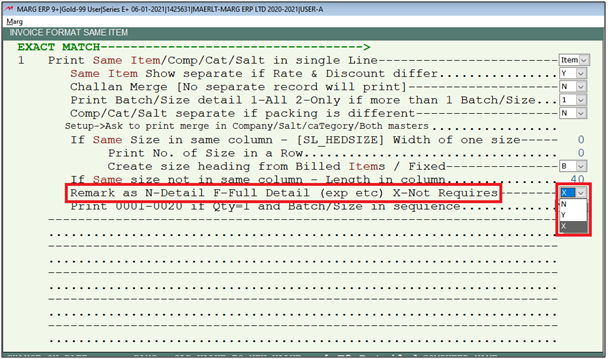
- A Same item window will appear.
- In 'Remark as N-Detail F-Full Detail (exp etc) X-Not Requires' option, the user will select "X"
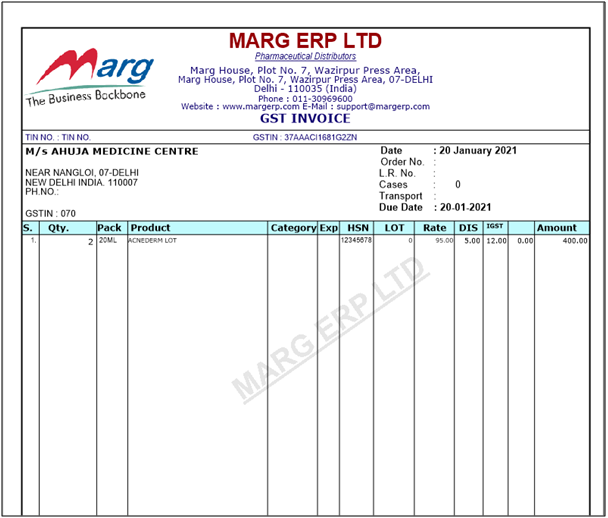
After following the above steps, the batch detail will get removed from the bill printing.

In This Page









