

Welcome to  -
Marg ERP AI+
Home > Margerp > Inventory > How to set Conversion entry should effect on Accounts in Marg Software ?
How to set Conversion entry should effect on Accounts in Marg Software ?

Ans.1
- Firstly, Go to Masters >> Marg Setups >> Control Room. Press Enter.
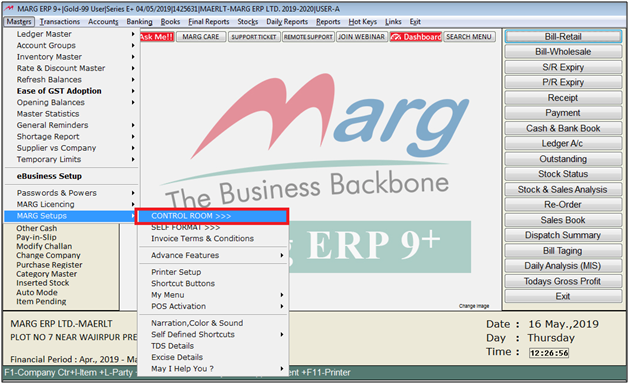
- A Control Room window will appear.
- The user will select ‘Search in all’. Press Enter.
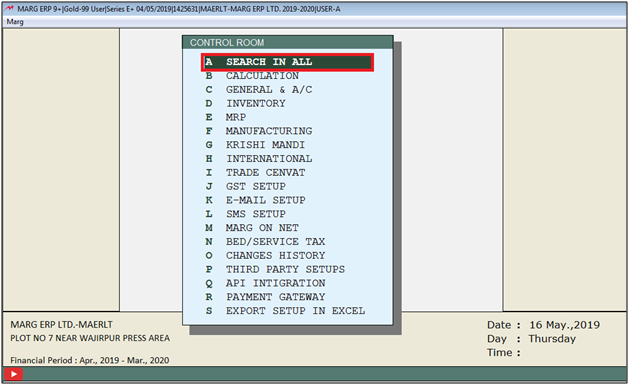
- A Controls window will appear in which the user will Search “Conversion”.
- Now click on ‘Accept’

- A Conversion window will appear
- In 'Conversion Entry Y-Dont Effect A/c E-Effect A/c N-Not Required' the user will select 'E'.

- The user will now press Esc key twice.

- Now click on ‘Yes’ to save changes.
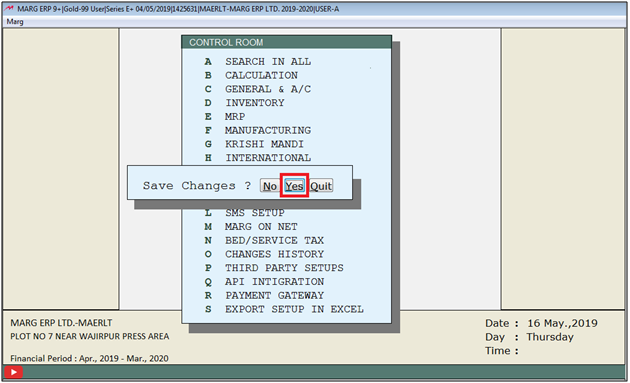
After following the above steps conversion entry will effect accounts.

In This Page









