

Welcome to  -
Marg ERP AI+
-
Marg ERP AI+
Home > Margerp > Multi Deletion > How to Delete Points of All Ledgers in Marg ERP Software ?
How to Delete Points of All Ledgers in Marg ERP Software ?

In order to delete ledger points, the user will follow the steps below:
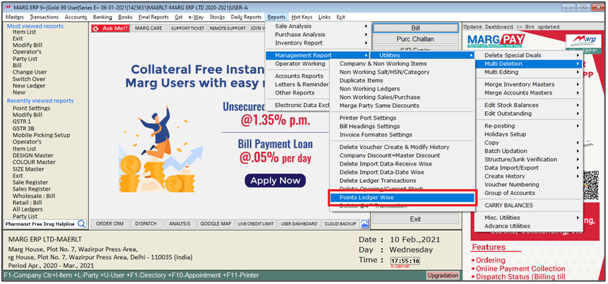
- Go to Reports > Management Report > Utilities > Multi Deletion > Points Ledger Wise.
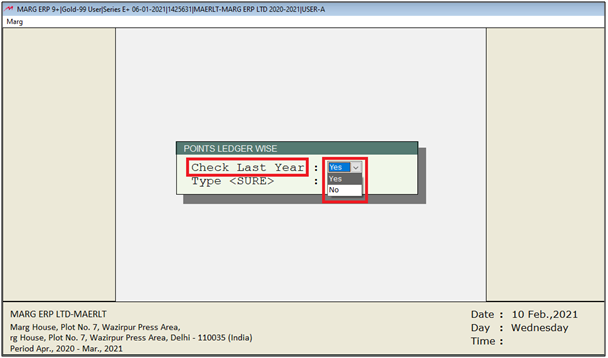
- In 'Check Last Year' option, the user can select 'Yes' if the user wants to delete the points from the last year otherwise, select 'No'.
- Suppose, select 'Yes'.
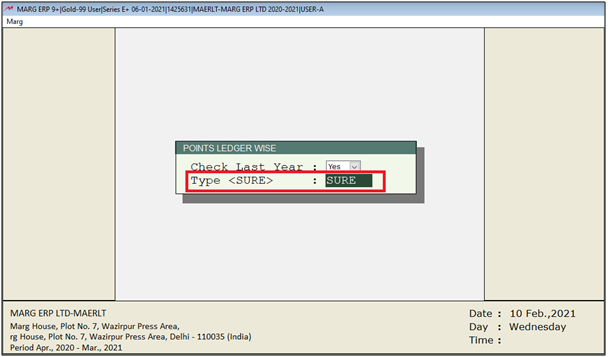
- Then type 'SURE'.
Note: The user will Press 'Spacebar' key or Plus '+' key to select a particular Group or Press Asterisk '*' key to select All Groups.
- Suppose select 'Sundry Debtor' and press 'Enter' key.

Note: The user will Press 'Spacebar' key or Plus '+' key to select a particular Party or Press Asterisk '*' key to select All Parties.
- Press 'Enter' key.
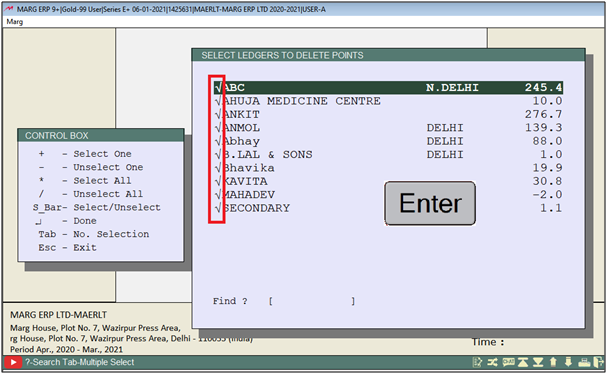
After following the above steps, the user can view points will be deleted from all ledgers in Marg ERP Software.

In This Page









