Welcome to  -
Marg ERP 9+
-
Marg ERP 9+
Home > Margerp > Outstandingss > How to view On Account Party wise Balance Outstanding Report in Marg Software?
How to view On Account Party wise Balance Outstanding Report in Marg Software?

In order to view On Account Party wise Balance Outstanding Report in Marg Software, the user needs to follow the below steps:
- Go to Books > Outstanding > Party Wise.
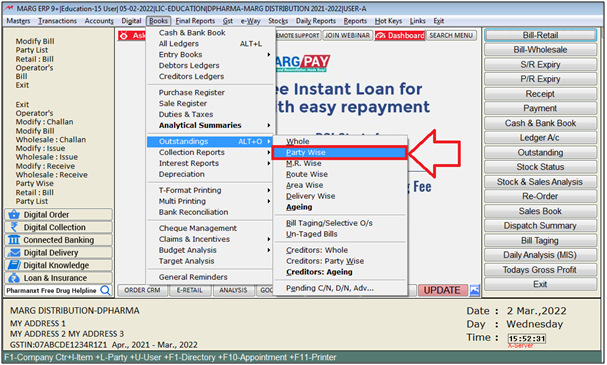
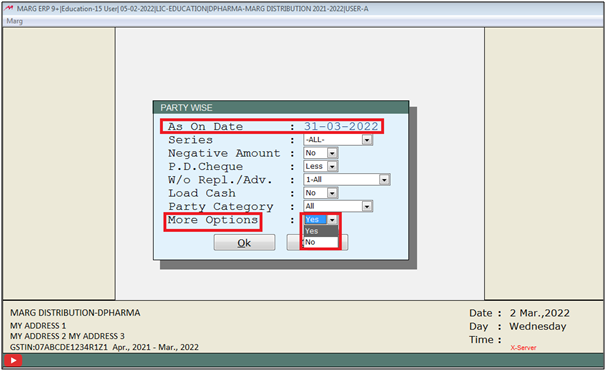
- A 'Party Wise' window will appear.
- In 'As on date' field, the user will mention up to which the report needs to be viewed.
- In 'More Options' field, the user will select 'Yes'.
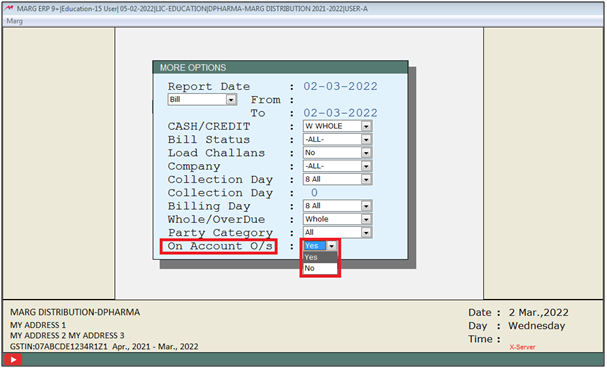
- A 'More Options' window will appear.
- In 'On Account O/S' option, the user will select 'Yes'. Press 'Enter'.
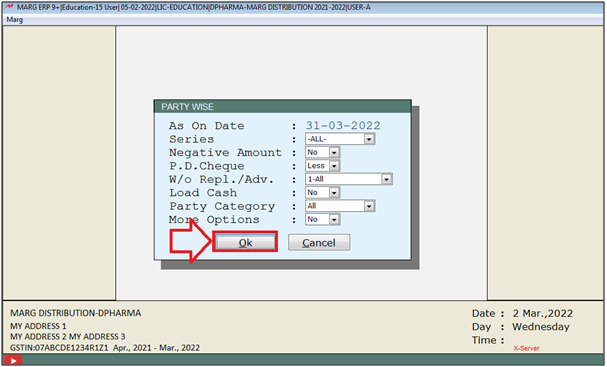
- Click on the 'OK' tab.
- A 'Ledgers' window will appear.
- Now, select the party ledger which outstanding user needs to be viewed.
- Suppose select 'Ahuja Medicine Centre'. Press 'Enter'.
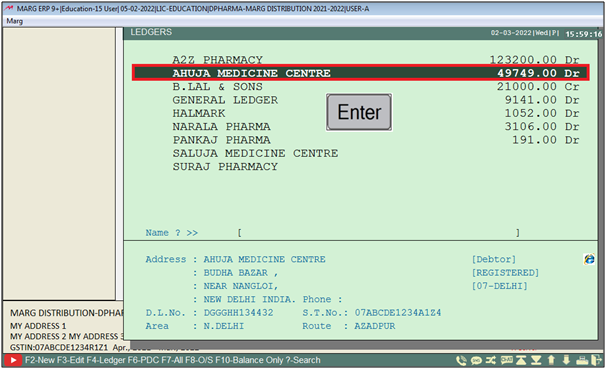
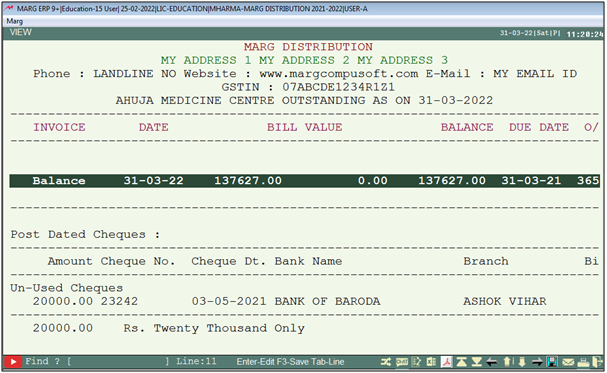
- Now on account party wise outstanding report will get displayed.
- The user will press 'Alt +P' key.
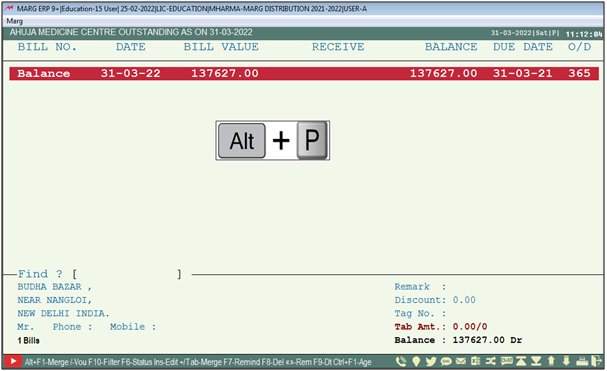
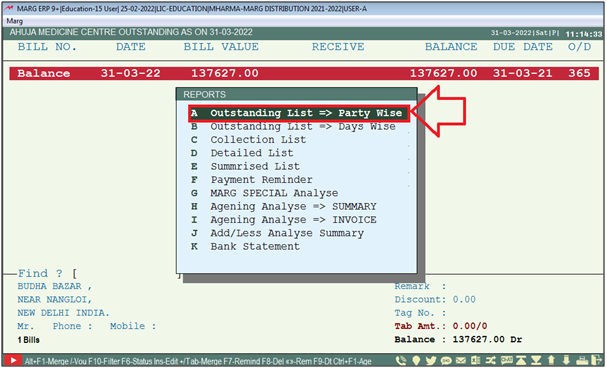
- A 'Reports' window will appear with multiple filters.
- The user will select 'Outstanding Report => Party Wise'.
- An 'Outstanding List => Party Wise' window will appear.
- The user can select other filters as per requirement.
- Select 'View/Print' as per requirement.
- Suppose select 'View'.
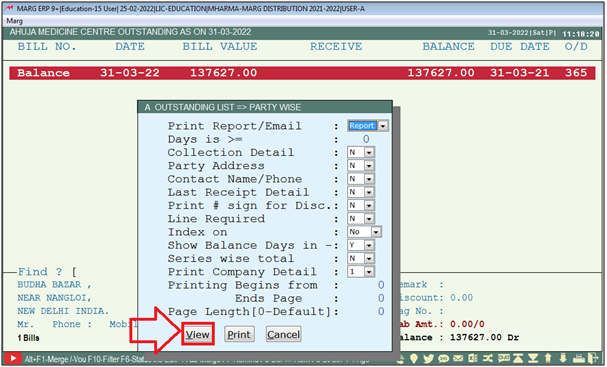
After following the above steps, the on account party wise balance outstanding report will get displayed.

In This Page