

Welcome to  -
Marg ERP 9+
-
Marg ERP 9+
Home > Margerp > Outstandingss > How to export Outstanding Report in Excel / PDF format in Marg Software?
How to export Outstanding Report in Excel / PDF format in Marg Software?

Ans.1
- Go to Books > Outstanding >Whole.
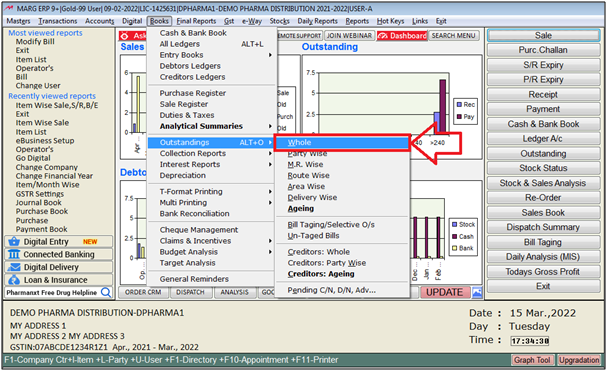
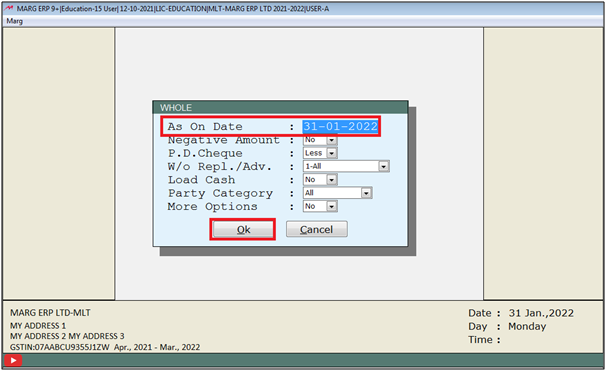
- A 'Whole' window will appear.
- The user will mention the date upto which the report needs to be viewed.
- Then select other options as per the requirement.
- Click on 'OK'.
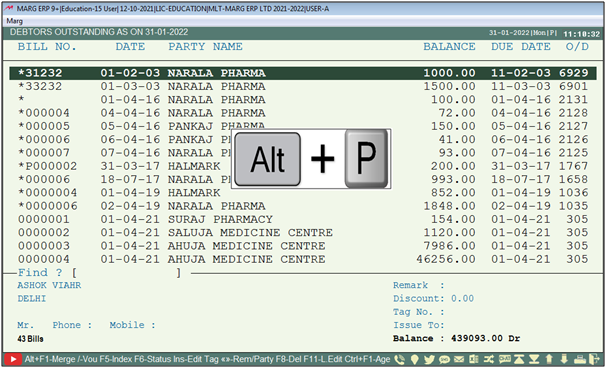
- Now the user will press 'Alt+P' key.
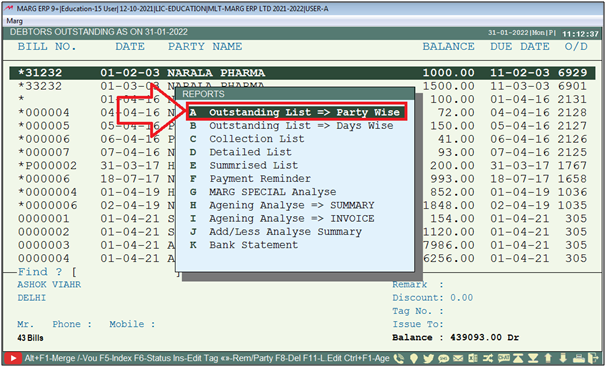
- A 'Reports' window will be appear .
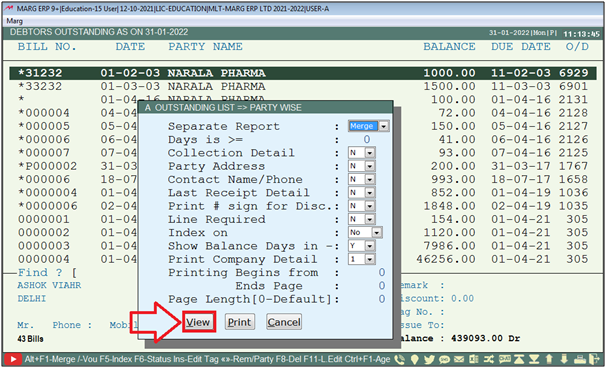
- The user will select 'Outstanding List Party Wise'.
- Now the user will select filters according to requirement then click on 'View'.
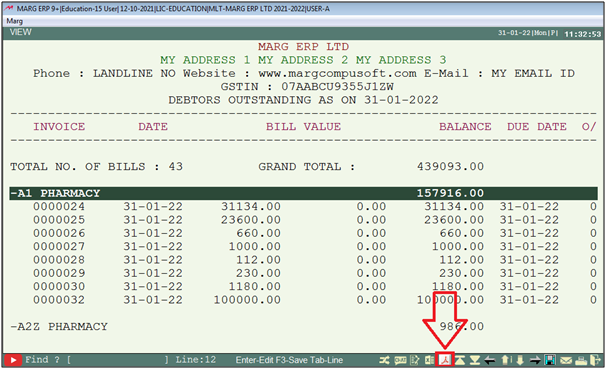
- Then the user will click on Excel,PDF icon according to requirement.
- Suppose click on 'PDF'.
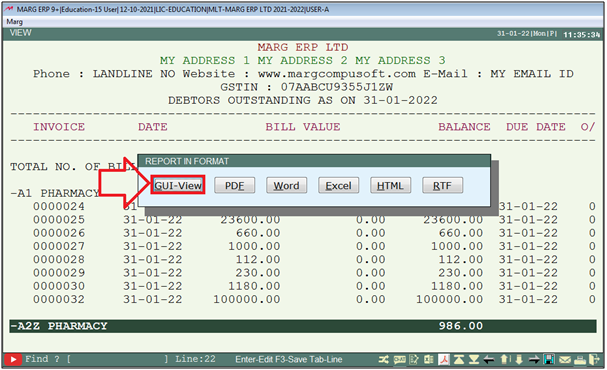
- A 'Report in Format' window will appear.
- The user will click on 'GUI-View'.
- The user will select the printer port as per the requirement & click on 'Okay'
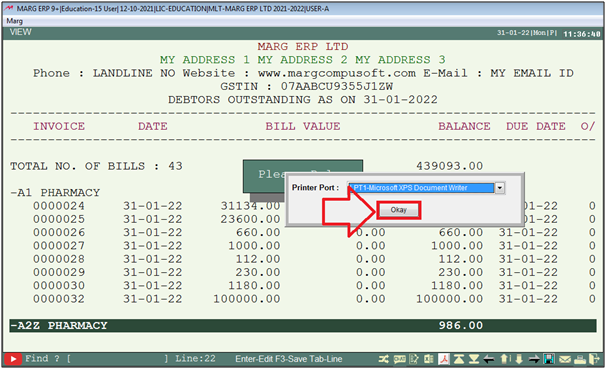
After following the above steps, outstanding report will be generate in PDF format.


In This Page









