

Welcome to  -
Marg ERP AI+
-
Marg ERP AI+
Home > Margerp > Vat > How to enable Multi Series on the basis of GST number in Marg Software?
How to enable Multi Series on the basis of GST number in Marg Software?

In Marg Software, there is an option available to set Series for Registered and Un-registered party separately which facilitates that at the time of creating sale bill software will automatically pick different series on the basis of GST number of parties.
In order to set Multi Series on the basis of GST number, the user needs to follow the below steps:
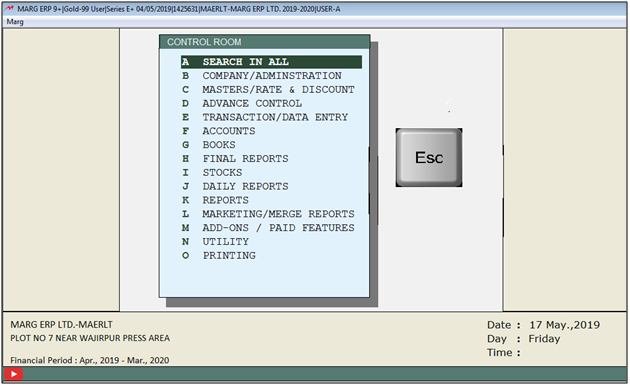
- Firstly, Go to Masters > Marg Setups > Control Room.
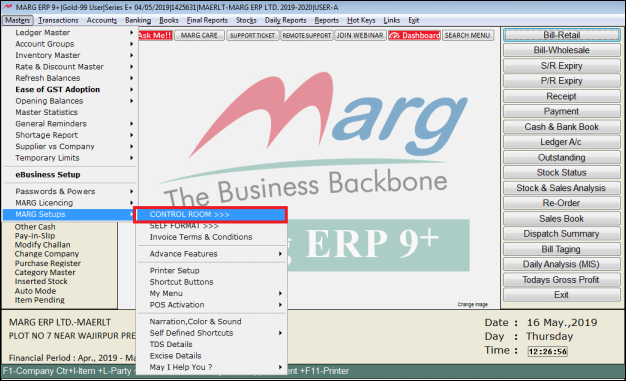
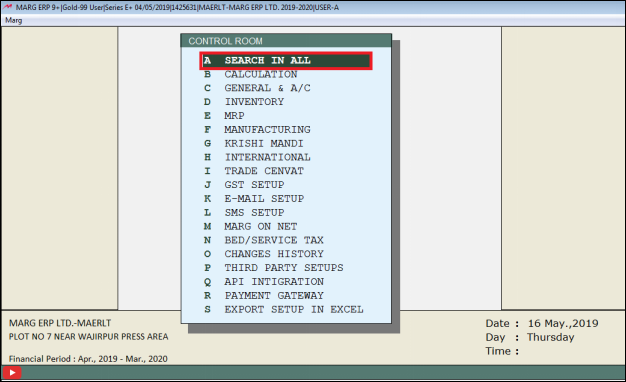
- A 'Control Room' window will appear.
- The user will select ‘Search in All’.
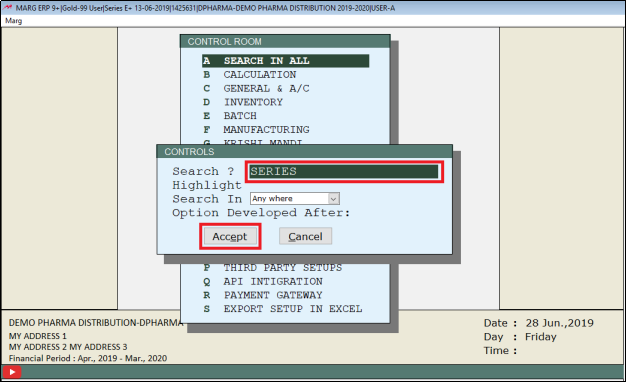
- A 'Controls' window will appear in which the user will Search 'Series'.
- Click on ‘Accept’.
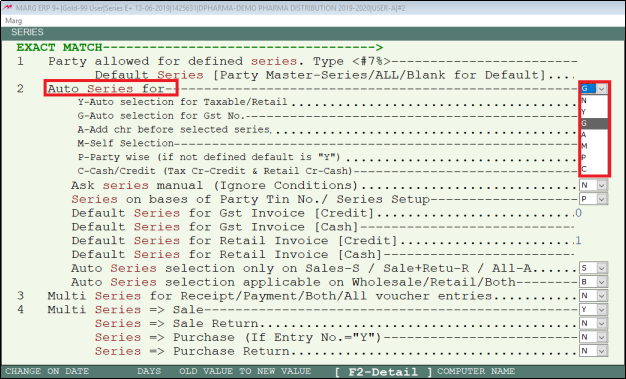
- A 'Series' window will appear.
- In 'Auto Series for', the user will select 'G'.
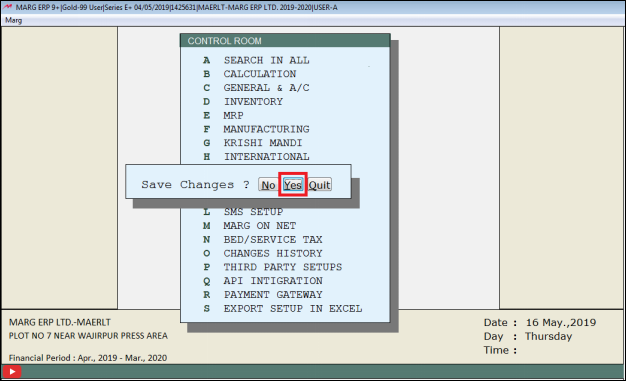
- The user will now press 'ESC' key twice.
- Now click on‘Yes’ to Save changes.

In This Page









